


Some facilitates of
this plateform's
Platforms are turning up all over the place in facilities. There are platforms for single products and platforms for the entire building, off-the-shelf platforms and custom platforms. Some platforms are based in the cloud, and some are located on devices in facilities.
Discover Our popular
courses
We created this collection to celebrate 7 years of learners and educators coming together to spread knowledge and transform lives. Thanks for being a part of the journey with us!
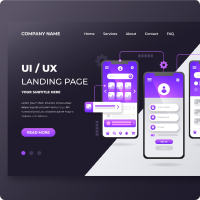
Basic of UI/UX design
UI refers to the screens, buttons, toggles, icons, and other visual elements that we interact.UX refers to the entire interaction.
Price: 15$

Fundamental of javaScript
UI refers to the screens, buttons, toggles, icons, and other visual elements that we interact.UX refers to the entire interaction.
Price: 35$
Web development
UI refers to the screens, buttons, toggles, icons, and other visual elements that we interact.UX refers to the entire interaction.
Price: 30$

Freelancing
UI refers to the screens, buttons, toggles, icons, and other visual elements that we interact.UX refers to the entire interaction.
Price: 35$

Photography
UI refers to the screens, buttons, toggles, icons, and other visual elements that we interact.UX refers to the entire interaction.
Price: 20$
Animation
UI refers to the screens, buttons, toggles, icons, and other visual elements that we interact.UX refers to the entire interaction.
Price: 25$
Ready to join?
This guide aims to help you identify whether studying is the right step you should take in order to achieve your objectives. Furthermore, by the end of these 10 steps, you should be able to decide on 2-3 courses that you would like to study eventually.
Frequently Asked Questions
FAQ section can bring in new visitors to this website via organic search and drive them to related pages – most typically deeper blog pages and service pages closely related to the questions being resolved.
Differences between between flex-box and grid are given
below-
1.Flexbox was designed for layout in one dimension. But,
Grid was designed for two-dimensional.
2.Flexbox is helpful in allocating and aligning the space
among items in a container.On the other hand, Grid layout
allow us to align elements into columns and rows.
3.Flexbox container is the parent element while Flex Item
represents the children. And Grid supports both implicit
and explicit content placement.
Differences between between Boostrap and Tailwind are
given below-
1.Bootstrap is much older than tailwind.On the other hand,
Tailwind is newer.
2.Bootstrap is much larger than tailwind.However,Tailwind
is much smaller than bootstrap.
3.Bootstrap focuses on developing components for sitewide
use. But, Tailwind is built to create functional, neat,
and flexible UI elements.
The CSS box model is essential for wraps around every HTML element. It is used for design. It consists of: margins, borders, padding, and the actual content.
A semantic element clearly describes its meaning to both the browser and the developer.Examples of semantic tags are - </table>, </form>, </article>, </aside>, </footer>, and so on.
Trusted by over 800+ companies